FansyMe is now officially integrated with Lovense. This means you can connect your Lovense toys directly to your FansyMe livestreams—without complicated workarounds or extra browser tricks.
For creators who are already streaming or looking to make their streams more interactive, this integration opens up new possibilities.
Livestreaming thrives on the direct connection between creator and fans. Viewers can react, chat, and send tips in real time. With Lovense, this interaction becomes even more immediate: when your fans support your stream with a tip, your connected toy can react to it.
Lovense StreamMaster: Even more flexibility for your streaming
In addition to a direct connection, many creators also find Lovense StreamMaster to be a great option.
StreamMaster is a free streaming software from Lovense that lets you control your Lovense toys during your livestreams and manage various functions from one central place. This is especially handy if you stream on other supported platforms alongside FansyMe and want to use your toys through a single application.
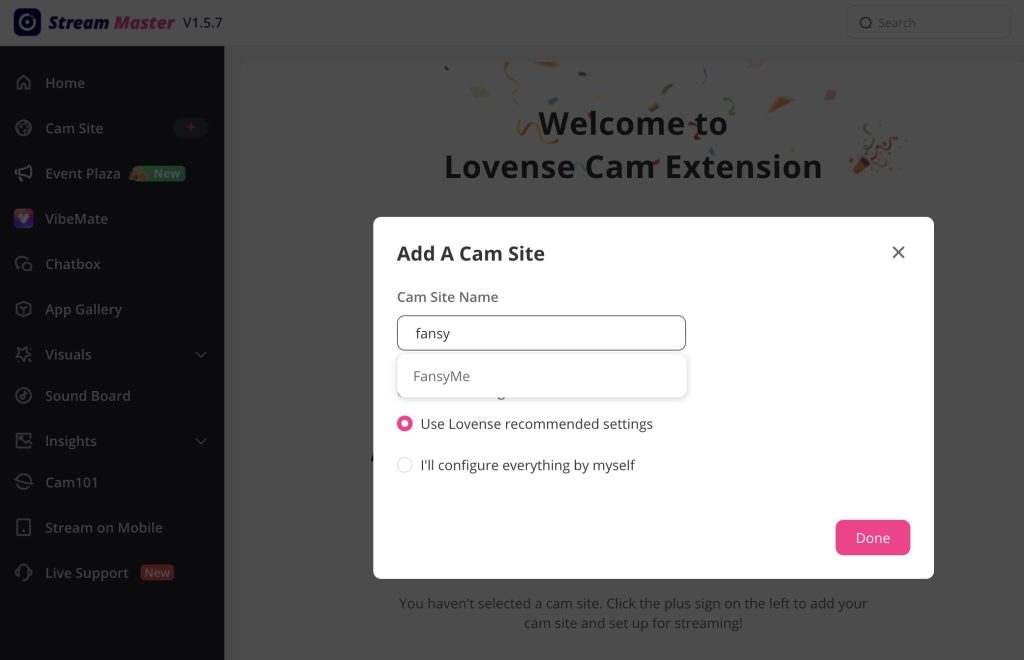
FansyMe can be added as a supported cam site in StreamMaster. This allows you to link your Lovense toys to your FansyMe stream and use interactive features during your live sessions.
This makes StreamMaster particularly interesting for creators who go live regularly and want to make their streaming setups more professional and flexible.
What this integration means
Lovense StreamMaster is used by many live creators to incorporate interactive toys into their streams. Having FansyMe available as a supported cam site allows for a direct link between your FansyMe livestream and your Lovense setup.
From a creator’s perspective, it’s all about easy setup, a reliable connection, and more interaction.
When you go live, you want to focus on your stream, your community, and your performance—not on complicated technical workarounds.
Interactive features can help involve viewers more deeply in the stream. For example, a tip can trigger an immediate reaction. This turns a simple gesture of support into an interactive event within the livestream.
How to connect Lovense to FansyMe
Getting started is easy and only takes a few minutes.
- Download Lovense StreamMaster for Windows or Mac.
- Install the software and log in to your Lovense account.
- Connect your Lovense toy via the Lovense Connect app.
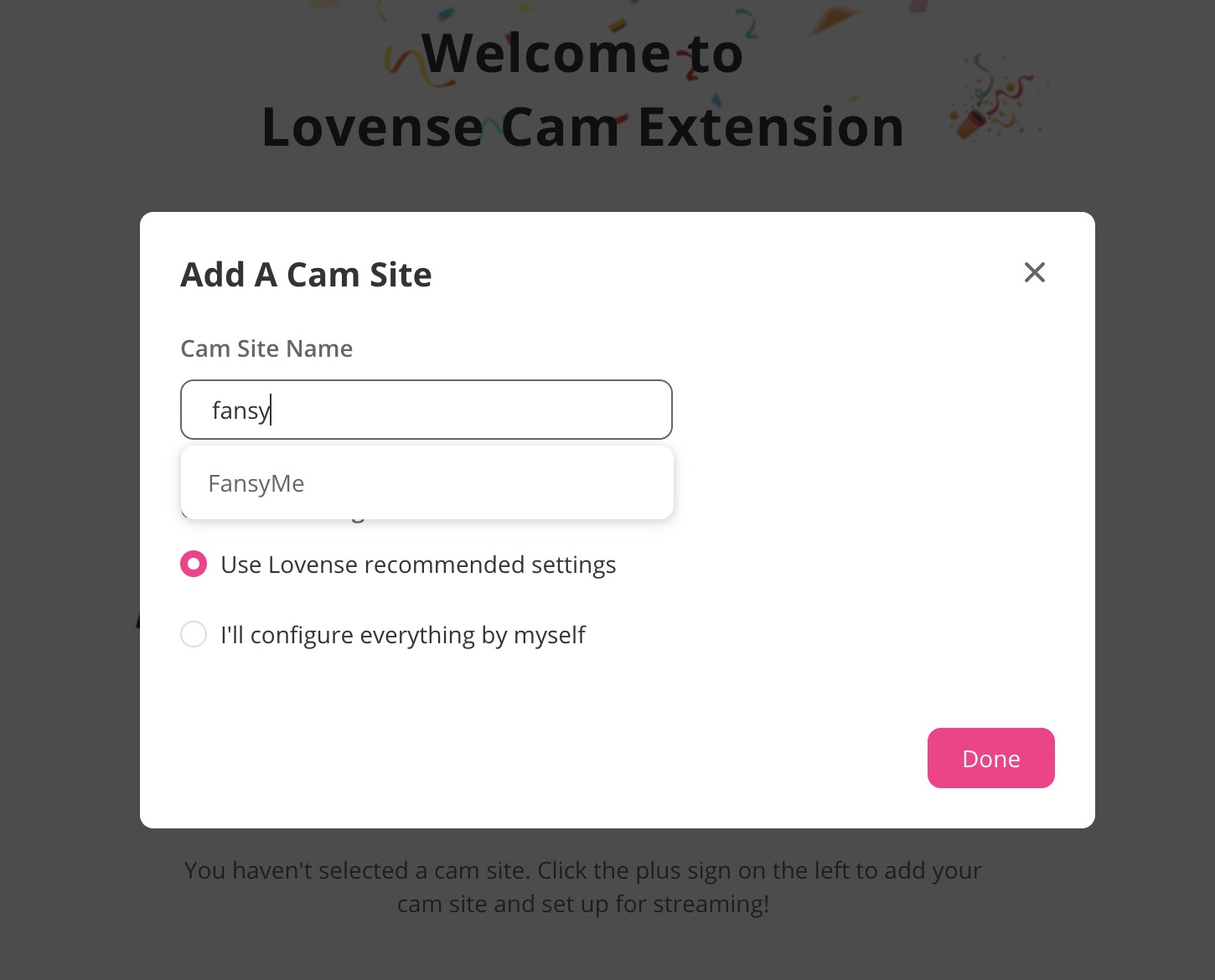
- Open StreamMaster and click “Add Cam Site”.
- Search for FansyMe and add the platform.
- Use the recommended settings and connect your FansyMe account.
- Start your livestream on FansyMe.
Once the connection is set up, your Lovense toys can react to interactions during your FansyMe live sessions.
That’s it.
Why Lovense is a game-changer for your FansyMe stream
A livestream already offers direct communication with your community. With Lovense, you can expand this connection with an additional layer of interactivity.
You can involve your fans more deeply in your streams and give them a way to interact immediately with your live experience.
And you don’t have to make your streaming more complicated. Lovense integrates into your existing setup and is especially valuable if you go live regularly and want to build your community for the long term.
Another step toward professional streaming
The Lovense integration is part of FansyMe’s evolution as a platform for creators.
Stable streaming features, direct communication with fans, and additional tools for more interaction can help you make your live sessions more diverse and engaging.
If livestreaming is already a key part of your strategy, Lovense is an exciting addition. And with StreamMaster, you have a central solution to manage your Lovense toys comfortably while streaming.
The technical foundation is set. Now it’s up to you to decide how to use these possibilities for your streams.
Still need help with the setup? Visit our FansyMe Help Center—there you’ll find more guides and information about FansyMe and streaming.